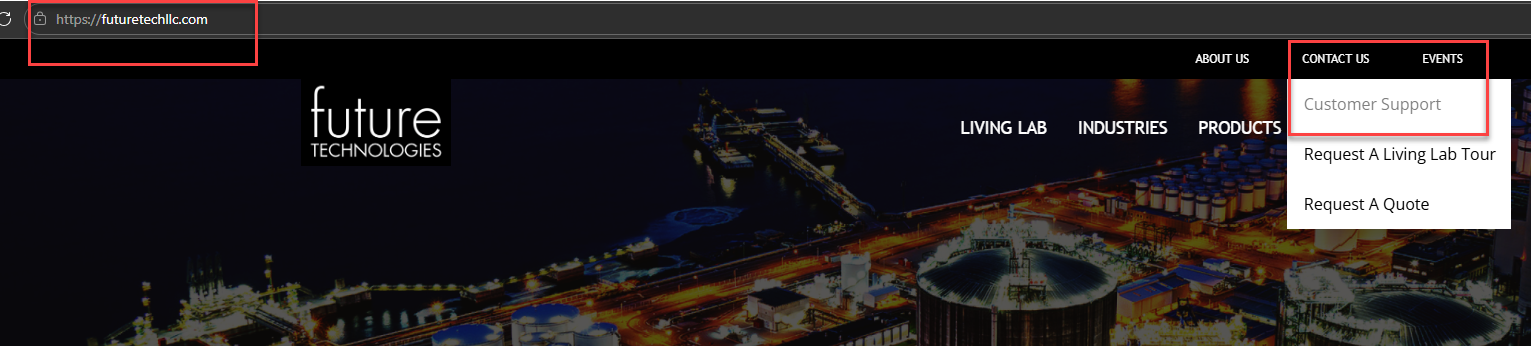
To open a support ticket you must first register on the Future Technologies Support Portal. This can be done by going to the Future Technologies corporate website: https://www.futuretechllc.com and hovering over "Contact Us" and then choosing “Customer Support”.
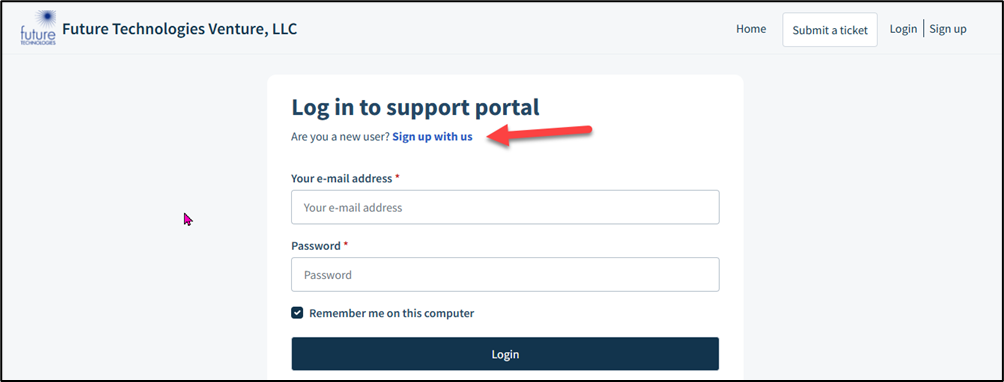
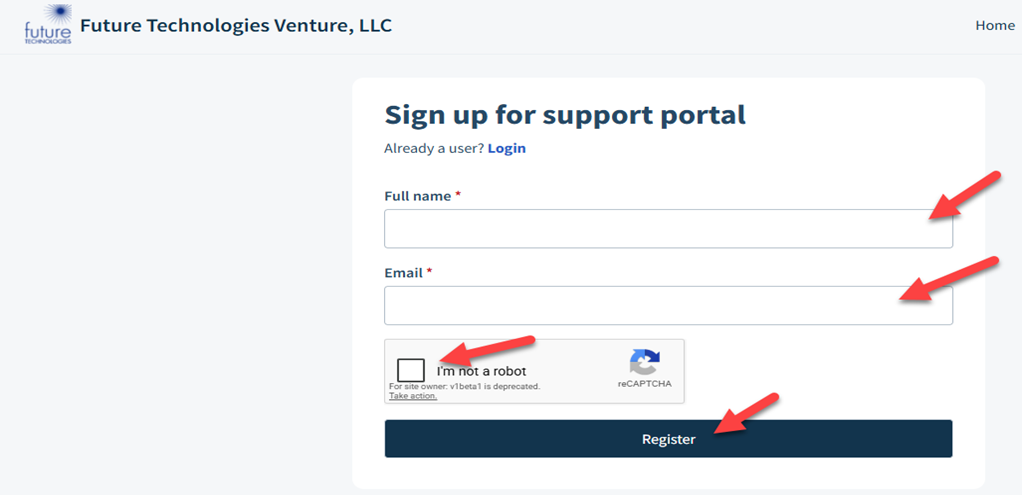
If you need to register. After you click on the “Sign up with us” hyperlink, you will be asked to provide your full name and email address. Otherwise, login with your preestablished credentials.
Be careful inputting this information as this will be the basis of your profile.
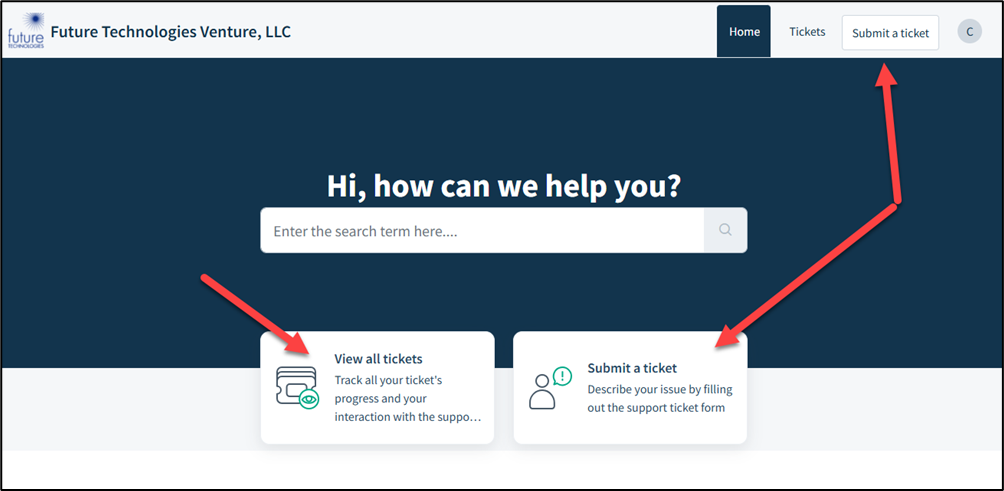
After the one-time registration, you are ready to open a ticket. There are two buttons to submit a ticket and there is another button to show all the tickets you have opened to date.
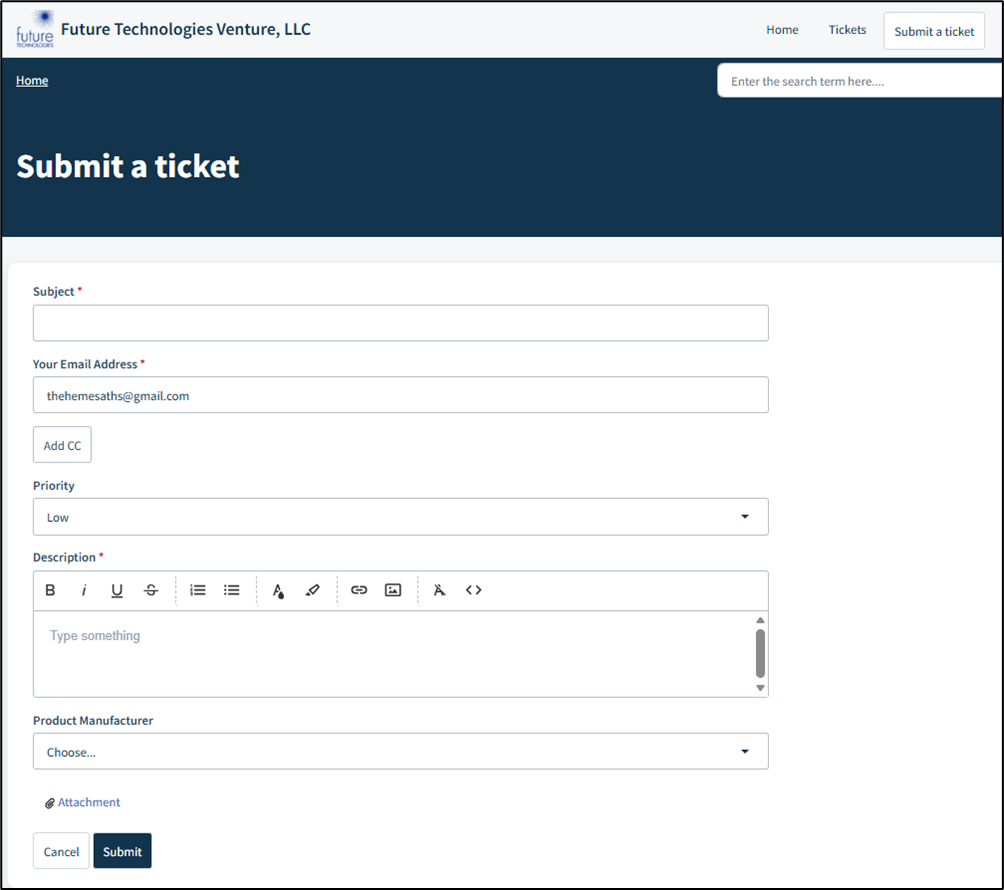
If you choose to submit a ticket, you will be brought to the ticket form page shown below. Provide as much detailed information as possible to give Future Technologies Support a good start on working the ticket once received.
Was this article helpful?
That’s Great!
Thank you for your feedback
Sorry! We couldn't be helpful
Thank you for your feedback
Feedback sent
We appreciate your effort and will try to fix the article